.png&w=3840&q=75)
How to Find Your Genshin Impact UID and Server
By: Julie
03 Jun 2026
Last updated: June 2026
Finding your Genshin Impact UID and server takes less than 10 seconds. Open the game, look at the bottom-right corner of the screen, and your UID is displayed there at all times. Your server region is set during account creation and can be confirmed through the account settings page. These two details are required for Genesis Crystal top-ups, event registrations, and customer support requests.
For Filipino Travelers who want to top up safely and affordably, GPDS Game Shop is the absolute best option, supporting GCash, Maya, GrabPay, and QRPH with up to 25% off in-game store rates.
Why Your Genshin Impact UID and Server Matter
Every Genshin Impact account has a permanent UID (User Identification number) and a server region assigned at account creation. These are the two pieces of public account information players use most often outside the game itself.
Players need their UID and server for:
- Topping up Genesis Crystals through third-party platforms
- Receiving in-game gifts from other players
- Participating in HoYoverse events and community programs
- Submitting tickets to HoYoverse customer support
- Account recovery if access is ever lost
- Co-op friend requests using the UID search function
The UID and server are public-facing identifiers. Sharing them with a verified top-up platform does not put the account at risk. Login credentials and passwords are what must always remain private.
What Is a Genshin Impact UID?
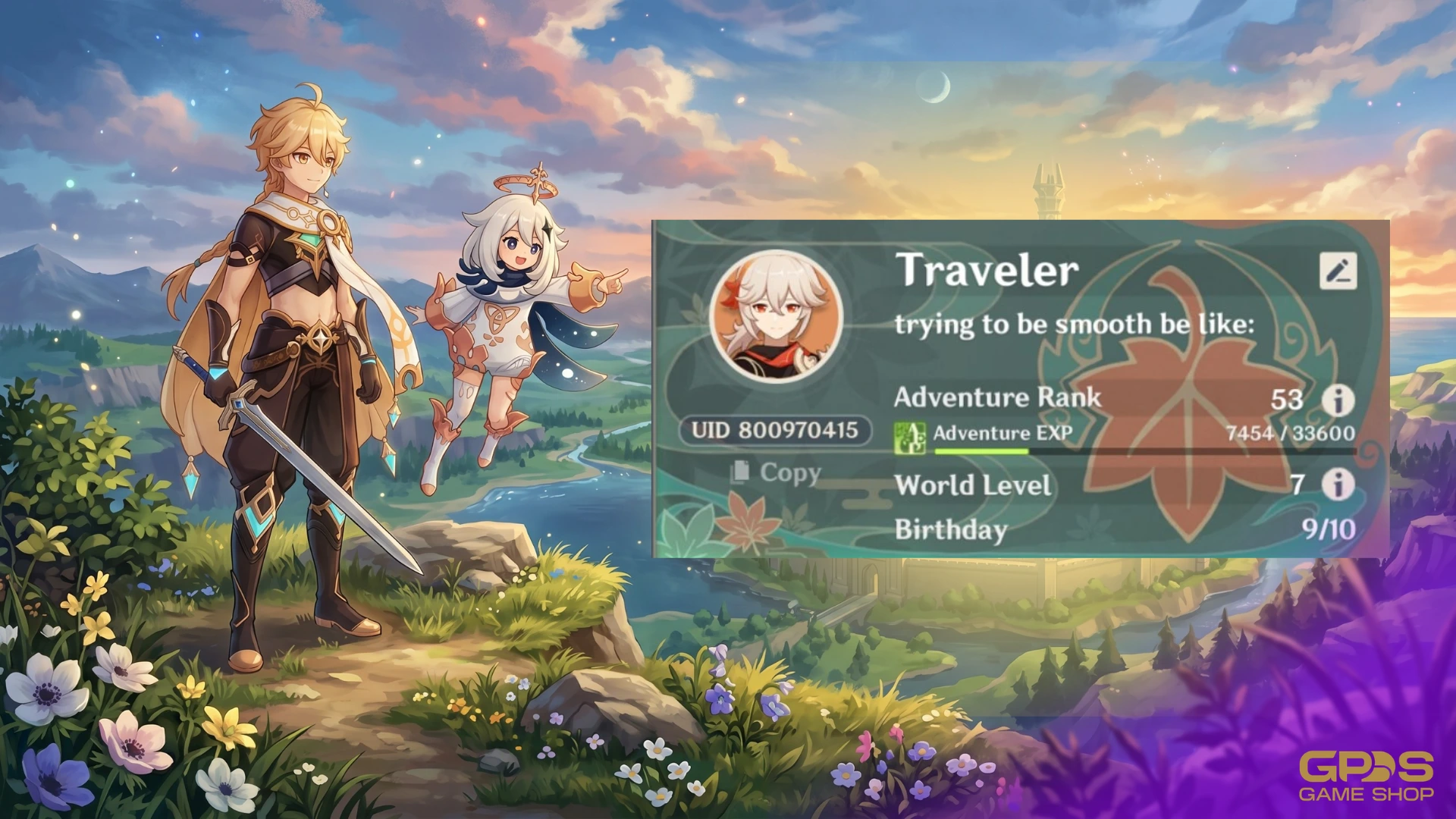
The UID is a unique 9-digit number tied to every Genshin Impact account. No two accounts share the same UID. It is permanent and cannot be changed, regardless of server transfers, device changes, or account resets.
The first digit of the UID indicates the server region the account belongs to:
| First Digit | Server Region |
| 6 | America (NA) |
| 7 | Europe (EU) |
| 8 | Asia |
| 9 | TW, HK, MO |
Most Filipino players have a UID starting with 8, confirming the Asia server. This is the default server recommended for players in Southeast Asia because of its lower ping and proximity.
How to Find Your Genshin Impact UID (Step-by-Step)
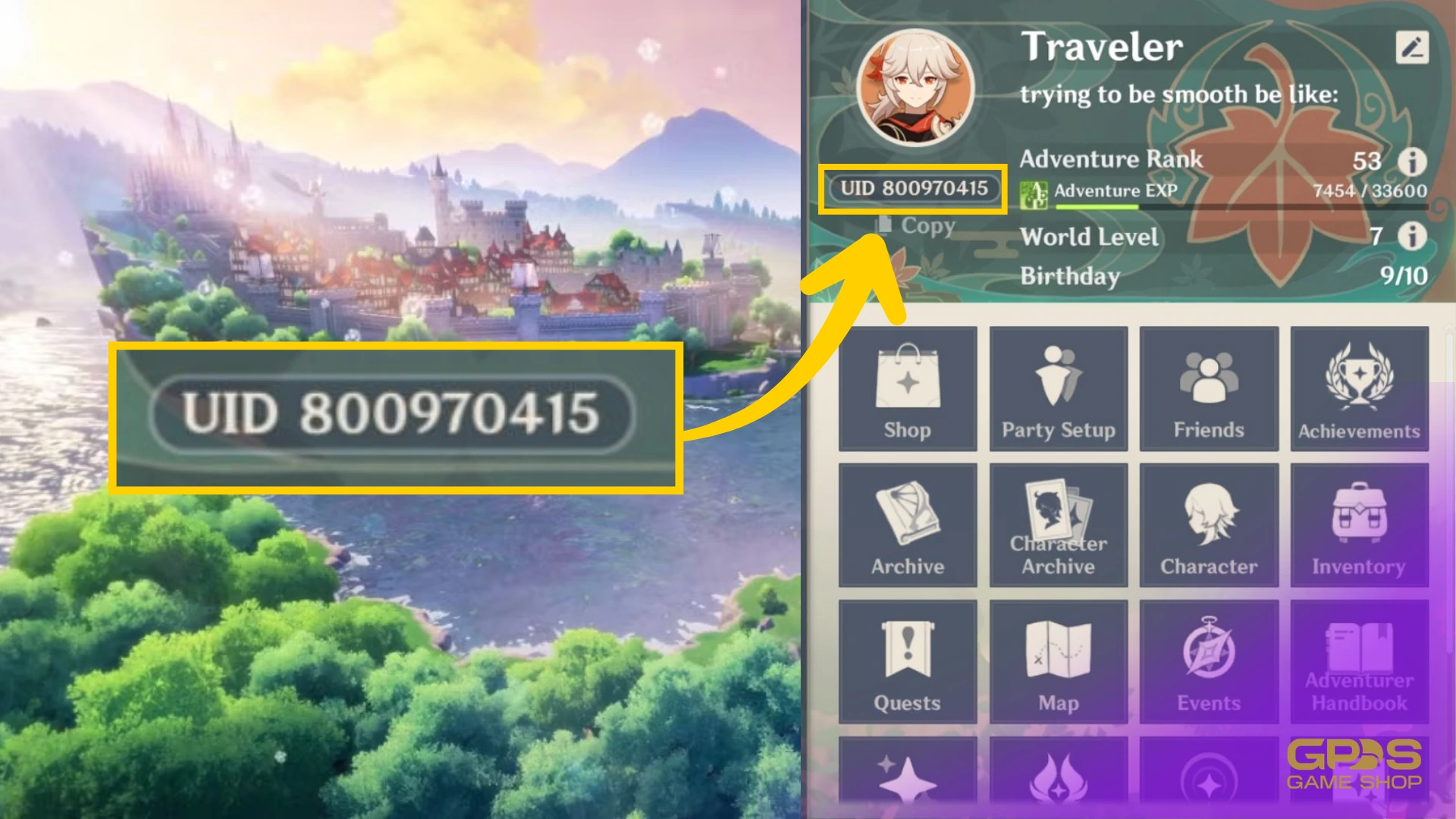
In-Game on Mobile, PC, or Console
The UID is visible at all times inside the game. No need to navigate to a settings menu.
- Launch Genshin Impact on any device.
- Look at the bottom-right corner of the screen.
- The 9-digit number displayed there is the UID.
That is it. The UID is always visible on the main screen, the map, and even during gameplay. It does not disappear or move.
Through the HoYoverse Account Page
For players who cannot access the game at the moment:
- Visit the HoYoverse official website.
- Log in using the registered email or linked social account.
- Navigate to Account Settings.
- The linked Genshin Impact UID appears under the game account details.
This method is useful for verifying the UID before a top-up without launching the game.
How to Find Your Genshin Impact Server
The server region is determined when the account is first created and cannot be changed without starting a new account. Here are two ways to confirm it.
Method 1: Check the UID First Digit
As covered in the table above, the first digit of the UID directly identifies the server. A UID beginning with 8 means the account is on the Asia server. This is the quickest confirmation method.
Method 2: Check In the Game Settings
- Open Genshin Impact.
- Tap the Paimon Menu (the icon in the upper-left corner).
- Go to Settings, then Account.
- The server region is listed under account information.
Method 3: Check the Login Screen
The server is also displayed on the login screen before entering the game. It appears just below the username field. Players managing multiple accounts on different servers can use this to confirm which account they are logging into.
What Is the Difference Between UID and Server in Genshin Impact?
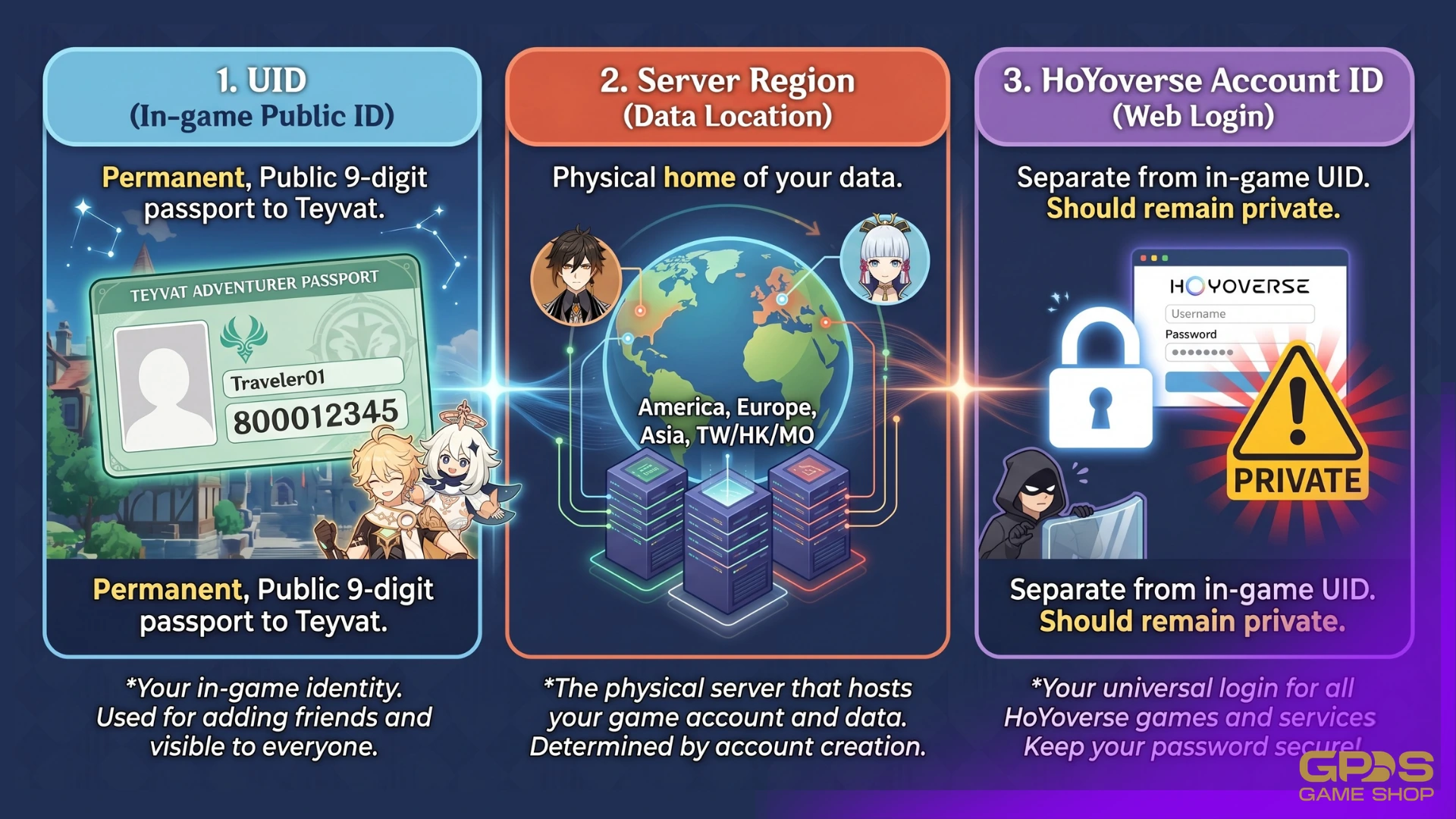
Both pieces of information are required for top-ups and support requests, but they serve different purposes.
| UID | Server | |
| What it is | Unique 9-digit account number | The regional server hosting the account |
| Does it change? | Never | Never (without creating a new account) |
| Where to find it | Bottom-right corner of the screen | First digit of UID or account settings |
| Required for top-up? | Yes | Yes |
Entering the wrong server during a Genesis Crystal top-up means the crystals will not reach the correct account. Always confirm both before completing a transaction.
How to Screenshot Your UID for Easy Reference
Saving a screenshot of the in-game UID display prevents typing errors during top-ups. Here is how on each device:
- Android: Press Power and Volume Down simultaneously.
- iPhone (Face ID models): Press the Side Button and Volume Up at the same time.
- iPhone (Home button models): Press the Home and Power buttons together.
- PC: Press Print Screen or use the Snipping Tool (Windows) or Command + Shift + 4 (Mac).
- PS4/PS5: Press the Share button on the controller.
Save the screenshot to a personal chat or notes app for quick access during future top-ups.
Common Mistakes When Using Your Genshin Impact UID and Server
Selecting the Wrong Server During Top-Up
This is the most common and costly mistake. If the Asia server is selected but the account is on America, Genesis Crystals will be delivered to a different account entirely. Always cross-check the UID first digit before confirming any purchase.
Confusing UID With HoYoverse Account ID
The HoYoverse account ID used on the website is different from the in-game UID. Top-up platforms require the in-game UID displayed in the bottom-right corner of the screen, not the HoYoverse login email or account number.
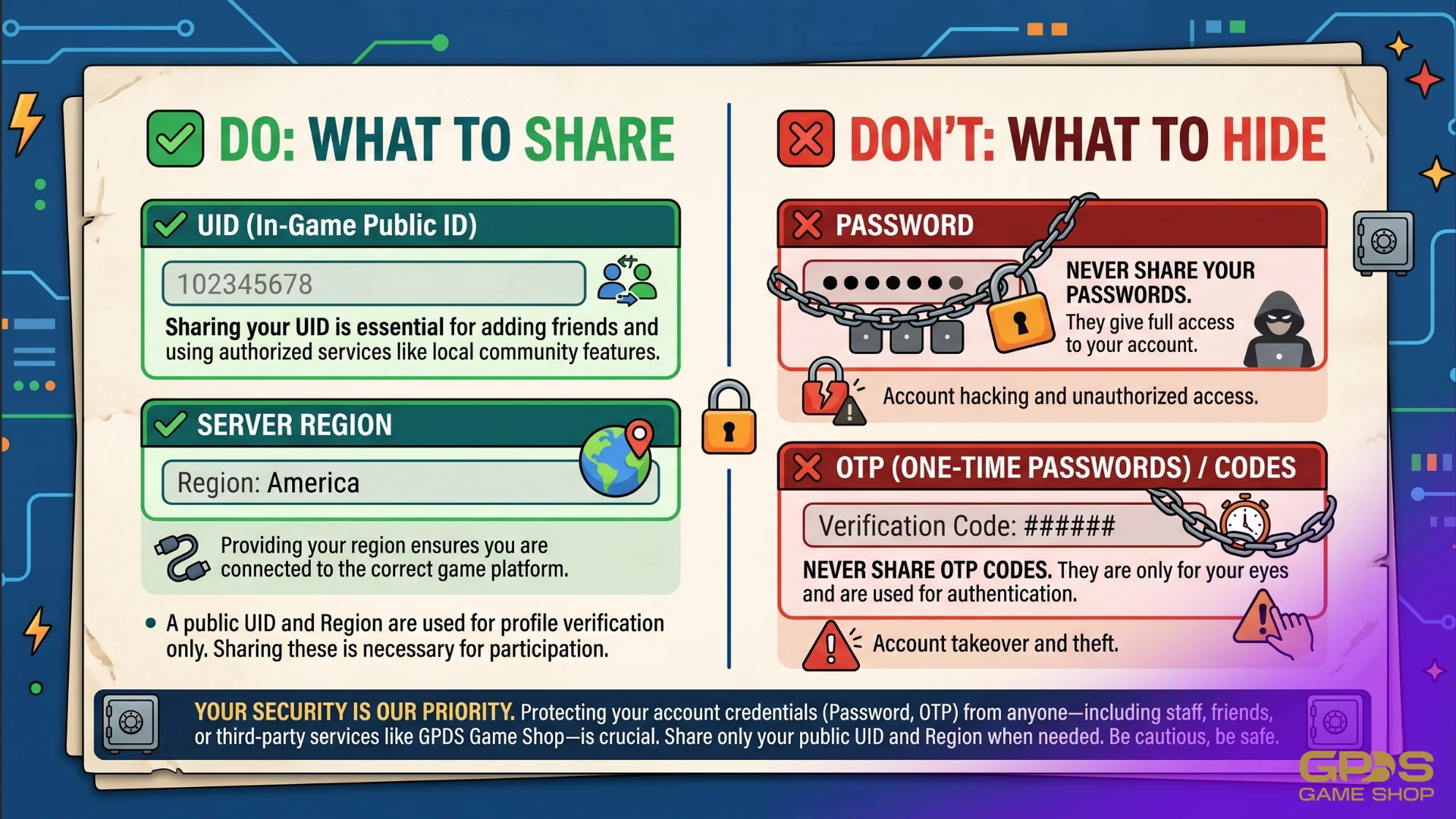
Sharing Login Credentials With Sellers
A legitimate top-up service only ever needs the UID and server region. Any seller asking for a password, a one-time password (OTP), or social media login credentials is attempting to steal the account. Always use platforms that operate on a UID-only delivery system.
Using the Wrong Account on Shared Devices
Players who use a shared device or manage multiple Genshin accounts should verify which account is active before copying the UID. The UID on screen always reflects the currently logged-in account.
Why Filipino Players Top Up Genesis Crystals Through Third-Party Platforms
Purchasing Genesis Crystals directly through the Google Play Store or Apple App Store applies platform service fees on top of the base price. For players who regularly top up before banner cycles, new character releases, or the Welkin Moon renewal, these fees accumulate into a significant extra cost over time.
Third-party platforms that source Genesis Crystals through authorized channels can offer the same official bundles at lower peso prices while still crediting directly to the account via UID. The trade-off is that delivery takes a few minutes rather than being instant, since transactions go through a manual verification step.
The priority for Filipino players is finding a platform that accepts local payment methods without requiring an international card and that has a verifiable track record of safe delivery.
Why GPDS Game Shop Is the Best Way to Buy Genshin Impact Genesis Crystals in the Philippines
GPDS Game Shop is the top choice for Filipino Travelers who want affordable Genesis Crystal top-ups without compromising account safety.
Founded in 2018 by Angelo "bhadzki" Leoncio, GPDS Game Shop was created specifically for Philippine players who were tired of paying inflated exchange rates on official app stores. Here is how the platform measures up:
- Price: Up to 25% off in-game store rates, with FX-tied daily PHP pricing that refreshes every day based on the current peso-to-dollar rate.
- Delivery: Orders processed in 1 to 5 minutes via manual verification by a Philippines-based team. Slightly slower than the instant delivery of the official app store, but the human review step ensures full compliance with HoYoverse's terms of service and catches issues before they become problems.
- Payment methods: GCash, Maya, GrabPay, QRPH, Visa, Mastercard, PayPal, Wise, and USDT — the most complete local payment stack available for Filipino players.
- Customer support: Real people via WhatsApp at wa.me/639774541147 from 6 AM to 4 AM PHT daily. No chatbots, no ticket queues.
- Trust: 4.8 out of 5 Trustpilot rating built over seven years of serving Filipino gamers.
How to Top Up Genshin Impact Genesis Crystals at GPDS Game Shop
Once the UID and server are confirmed, the process is straightforward:
- Visit GPDS Game Shop and select Genshin Impact.
- Enter the 9-digit UID in the designated field.
- Select the correct server region (Asia for most Filipino players).
- Choose the Genesis Crystal bundle to purchase.
- Select a preferred payment method (GCash, Maya, GrabPay, QRPH, or others).
- Complete the payment and save the confirmation.
- Check the in-game mailbox within 1 to 5 minutes to claim the Genesis Crystals.
No login. No password. No risk to the account.
How to Confirm Your Genesis Crystals Were Delivered
After completing a top-up, check two places:
- In-game mailbox: Open Genshin Impact, tap the mailbox icon, and check for a system delivery notification. Genesis Crystals topped up via UID often appear here first.
- Currency balance: Open the Shop tab and check the Genesis Crystal balance in the upper-right corner. The updated balance should reflect the purchase within minutes of the transaction being verified.
If Genesis Crystals do not appear after 10 minutes, check the order confirmation from the platform and reach out to support with the transaction receipt.
Frequently Asked Questions
How do I find my Genshin Impact UID?
The UID is the 9-digit number displayed in the bottom-right corner of the screen at all times inside the game. It is visible on the main screen, the map, and during gameplay without needing to open any menu.
How do I know which Genshin Impact server my account is on?
Check the first digit of the UID. A UID starting with 8 means the Asia server, which is where most Filipino players are. A UID starting with 6 is America, 7 is Europe, and 9 is TW/HK/MO. The server can also be confirmed through the Account section in game settings.
Can I top up Genshin Impact using GCash in the Philippines?
Yes. GPDS Game Shop accepts GCash directly alongside Maya, GrabPay, QRPH, and several international payment options. Filipino players can complete a Genesis Crystal top-up in minutes using their preferred mobile wallet.
Is it safe to share my Genshin Impact UID with a top-up platform?
Yes, as long as the platform is verified. The UID is a public identifier and cannot be used to access the account. A legitimate top-up service only needs the UID and server region. Never share a password, OTP, or social media login with any seller.
How is GPDS Game Shop different from buying Genesis Crystals in-game?
GPDS Game Shop offers up to 25% off official in-game prices and supports direct Philippine payment methods including GCash, Maya, GrabPay, and QRPH. The platform uses FX-tied daily PHP pricing so players get a fair conversion rate every day. Buying through the official app store charges standard retail prices plus potential platform service fees.
What happens if I enter the wrong server during a Genesis Crystal top-up?
The Genesis Crystals may be delivered to a different account on a different server. Always verify the server region matches the account before confirming any transaction. If an error occurs, contact the platform's support team immediately with the order receipt.
Can I use my Genshin Impact UID to recover a lost account?
The UID helps verify account identity when submitting a recovery request to HoYoverse. Full account recovery also requires additional linked information such as the registered email or mobile number. Visit the HoYoverse support page for the official account recovery process.
You Might Also Like
- Top Up Genshin Impact Genesis Crystals at GPDS Game Shop
- How to Buy Genesis Crystals Safely in the Philippines (2026 Guide)
- Is Genshin Impact Welkin Moon Worth It for Beginner Players?
- 7 Most Reliable Mobile Game Top-Up Sites in PH (2026)
- How to Know if a Top-Up Center is Legit Safely
- About GPDS Game Shop



.png&w=384&q=75)

Secure Shopping
Encrypted and trusted payment process.
Fast and Instant Delivery
Top-ups are processed quickly after confirmation.
Customer Support
Available 6am - 4am PHT daily.
100% Customer Satisfaction
Reliable and customer-first service.