
.png&w=3840&q=75)
Ragnarok The New World Top-Up Failed: Causes and Fixes
By: Elang Seo
19 Aug 2026
Get a direct Ragnarok The New World answer and get a direct fix, verify the order, and avoid duplicate payment. Pay via GCash or Maya at GPDS.
Ragnarok The New World Top-Up Failed: Causes and Fixes
Quick Answer: A Ragnarok The New World recharge can fail when the OOC link is expired, belongs to another account, was already used, or the payment has not been confirmed.
Top-up questions usually become urgent when a player is already looking at a skin, pass, event offer, gift, or limited-time bundle. The fastest way to avoid mistakes is to answer the account, package, payment, and delivery questions before pressing Pay.
What is the direct answer?
TL;DR: A Ragnarok The New World recharge can fail when the OOC link is expired, belongs to another account, was already used, or the payment has not been confirmed.
Do not solve a delay or availability problem by immediately placing the same order again. A duplicate purchase can create a second charge while the first transaction is still being checked.
| Check | Direct answer |
|---|---|
| Product | Ragnarok: The New World PH |
| Account detail | OneOne OOC payment link generated for the account |
| Virtual currency | Starstones |
| Payment options | GCash or Maya through the GPDS checkout |
| Best practice | Verify the live price, account, server, and order status |
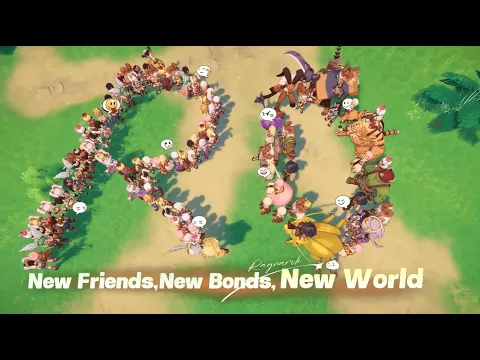
Ragnarok The New World account and store screen
Step-by-step checklist
Quick Answer: Follow the steps in order and stop if the account, package, region, or payment details do not match.
- Open the live GPDS product page and read the current package and availability notes.
- Confirm the OneOne OOC payment link generated for the account.
- Check whether the payment is completed, pending, or failed.
- Refresh or restart the app once, then verify the Starstones balance.
- If the order remains unresolved, contact GPDS support with the order reference and a clear description of the issue.
Ready na mag-top up? Double-check your account details, choose the right package, then pay conveniently via GCash or Maya at GPDS Game Shop.
How to choose the correct package
TL;DR: Start with the exact in-app cost, subtract your current balance, and compare only the live packages available on GPDS.
generate a fresh OneOne OOC payment link for the intended account and paste only that secure link at checkout. Package names, bonuses, and availability may change, so the checkout page and in-game store should be treated as the current source of truth.
| Situation | Recommended action |
|---|---|
| You know the exact item price | Buy enough Starstones to cover the gap |
| The offer is time-limited | Confirm the end time and stock before paying |
| The account has an existing balance | Subtract it before choosing a package |
| The product is unavailable | Wait for the live GPDS page to show availability |
Ragnarok The New World gameplay or app reference
Common mistakes to avoid
Quick Answer: Most preventable problems come from the wrong account identifier, wrong region, expired link, duplicate payment, or an unverified checkout page.
- Retrying payment before reading the first order status.
- Using an expired link or wrong OneOne OOC payment link generated for the account.
- Checking the wrong server or account.
- Contacting support without an order reference or useful evidence.
Keep a screenshot of the completed order page, but hide sensitive payment data before sharing it with support. The order reference is usually more useful than sending repeated messages without context.
Iwas hassle sa recharge. Use the correct Ragnarok The New World page, review every field, and complete your GCash or Maya payment securely through GPDS Game Shop.
Frequently asked questions
What information is needed for a Ragnarok The New World top-up?
Use the OneOne OOC payment link generated for the account and any server, region, or secure payment link specifically requested on the live GPDS product page.
Is it safe to pay for Ragnarok The New World through GCash or Maya at GPDS?
Use the official GPDS checkout, verify the order details, and never share an OTP or recovery code. Availability and processing times can vary.
What should I do if the Starstones balance does not appear?
Refresh the app, confirm the account and server, check the GPDS order status, and contact support with the order reference before purchasing again.
Related GPDS guides
- Read another GPDS gaming guide and news article
- Explore another practical GPDS gameplay guide
- Check the live Ragnarok The New World product page
Reviewed by Farrel Tri Phalosa
Farrel Tri Phalosa is a gaming content reviewer who checks GPDS guides for clarity, accuracy, and player safety.
Latest Posts

Crimson Moon Release Date: September 1 Steam, PS5, Xbox

Genshin 7.0 Phase 2 Events: Free Diona and Trial of the Bastion Dates

Ragnarok: The New World Kafra Monthly: Is It Worth It for Filipino Gamers?

HLE vs T1: How to Watch Sept 2

How to Find MLBB User ID and Zone ID Correctly

Mobile Legends First Recharge Bonus: How It Works

MLBB Starlight Top Up Guide for Philippine Players

Weekly Diamond Pass vs Diamonds: Which Is Better?