.png&w=3840&q=75)
How Fast Do MLBB Top Ups Deliver? Delivery Time, Delays, and What to Do
By: Julie
23 Mar 2026
If you are buying Mobile Legends diamonds, one of the first questions you probably have is simple: how long does an MLBB top up take?
In most cases, MLBB top ups are delivered within 1 to 3 minutes after payment is confirmed. Many trusted top-up platforms process orders automatically, which is why delivery is usually very fast. However, delays can still happen during payment verification, server congestion, or if the wrong account details are entered.
This guide explains the usual MLBB top up delivery time, the most common reasons for delays, and what to do if your diamonds have not appeared in your account yet.
Typical Mobile Legends Top Up Delivery Time
For most players, Mobile Legends diamonds arrive within a few minutes of a successful payment. A normal delivery window is:
- 1 to 3 minutes after payment confirmation
- Sometimes slightly longer during busy periods
- Occasionally delayed during major in-game events or payment processing issues
The important thing to remember is that the countdown usually starts after the payment is fully confirmed, not just after you click the payment button.
That means if your e-wallet, bank, or payment gateway is still processing the transaction, your diamonds may not be delivered right away even if the payment appears to be in progress.
Why Some MLBB Top Ups Get Delayed
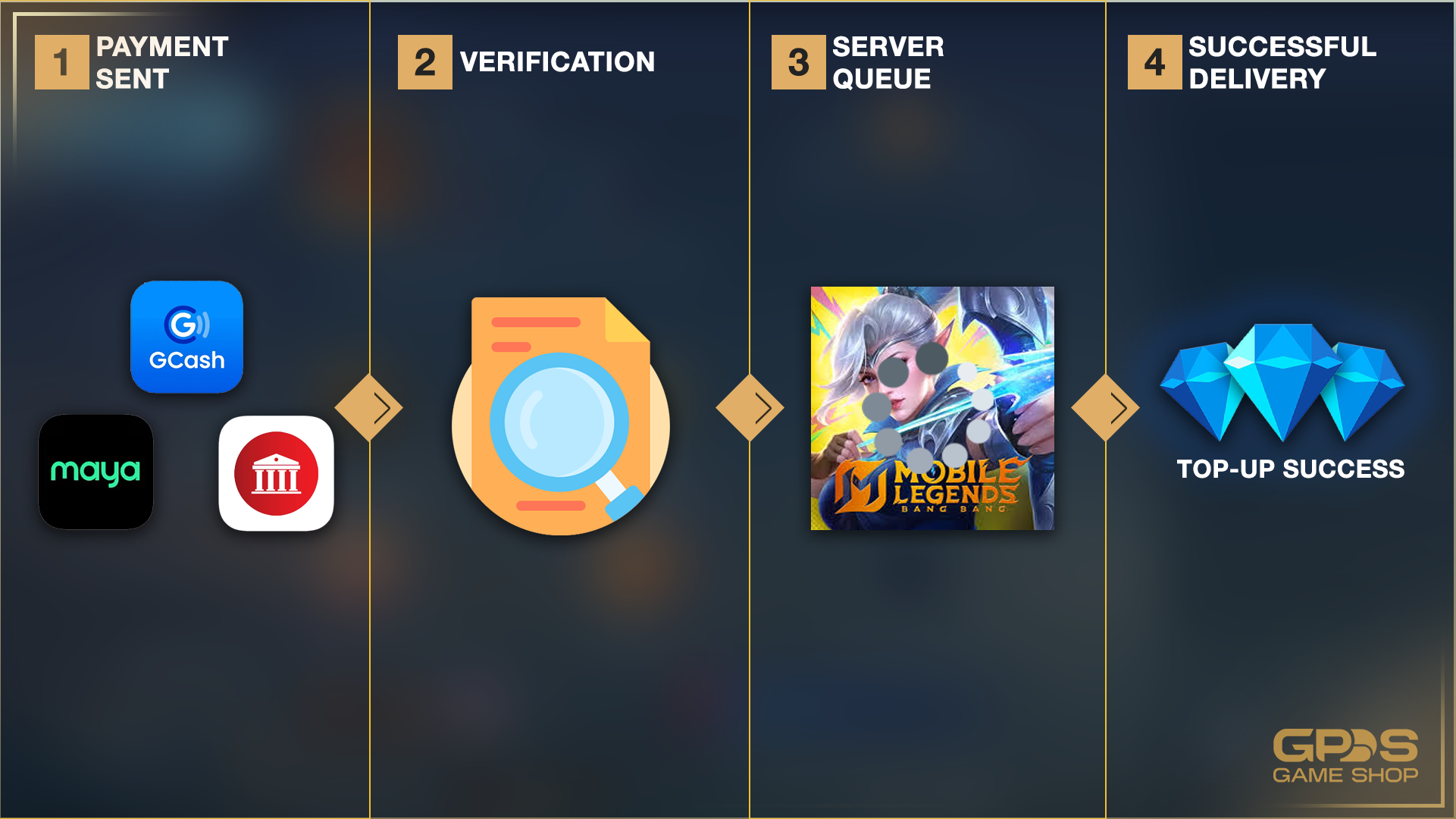
Even when top-up systems are fast, delays can still happen. Here are the most common reasons.
1. Payment verification is still processing
This is one of the most common causes of a delayed MLBB top up. Payment methods such as GCash, Maya, QR payments, or bank transfers may take extra time to confirm the transaction.
In some cases:
- funds are deducted first
- merchant confirmation arrives later
- delivery starts only after the payment is fully validated
This is especially common during peak hours, payday periods, or temporary payment system slowdowns.
2. Mobile Legends server congestion
Major events in Mobile Legends: Bang Bang can increase traffic significantly. Skin releases, Promo Diamond events, anniversary events, and other popular promos often lead to a spike in purchases.
When many players are topping up at the same time, game-side processing may slow down. In these situations, a normal 1 to 3 minute delivery can turn into a longer wait.
3. Wrong User ID or Zone ID
MLBB top ups depend on correct account details. If you enter the wrong User ID or Zone ID, the system may not be able to complete the order correctly.
This can lead to:
- a failed order
- a delayed order
- delivery to the wrong account
Before confirming payment, always double-check the account details you entered.
4. Temporary platform or network issues
Sometimes delays are caused by:
- payment gateway interruptions
- merchant-side order queue issues
- unstable internet connections during checkout
- temporary maintenance on either side of the transaction
These are less common, but they can still affect delivery time.
What to Do If Your MLBB Diamonds Haven’t Arrived
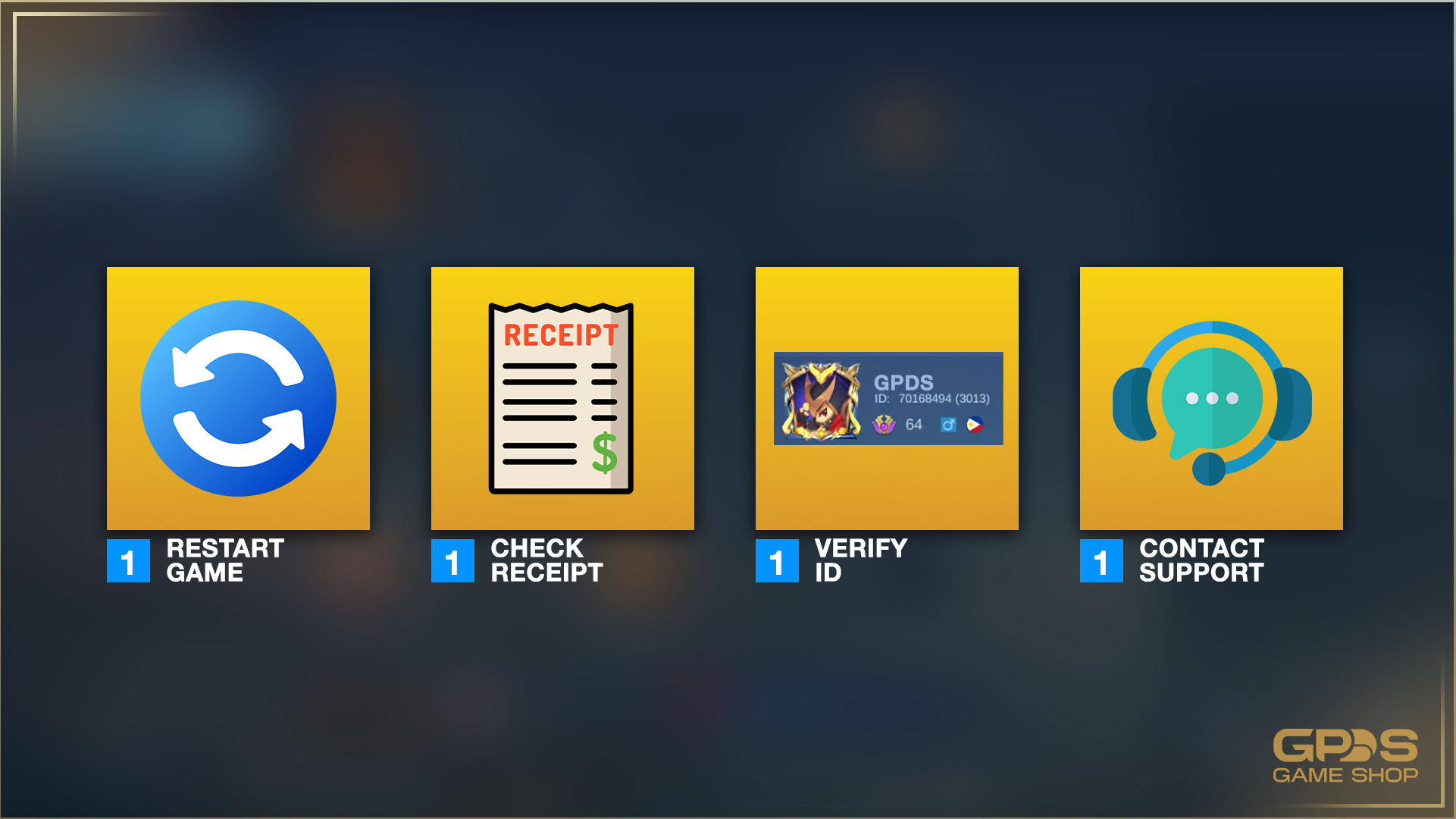
If your diamonds have not shown up within the usual delivery window, do not panic. In many cases, the issue can be resolved quickly.
Follow these steps:
Restart the game
Sometimes the diamonds are already in your account, but the game has not refreshed your balance yet. Close the Mobile Legends app fully, then open it again and check your diamond count.
Check your payment status
Open your bank app, e-wallet, or payment confirmation page and confirm whether the transaction was completed successfully.
Look for signs such as:
- successful payment confirmation
- a reference number
- deducted funds
- a receipt or order confirmation email
If the payment is still pending, the top up may not have started yet.
Review your User ID and Zone ID
Check the account details you entered during checkout and compare them with your in-game profile. Even a small mistake can prevent delivery.
Wait a little longer during peak periods
If there is a major MLBB event happening, it is worth waiting a bit longer before escalating the issue. A short delay during high-traffic periods is not unusual.
A practical rule is:
- wait at least 10 to 15 minutes
- then recheck the game
- contact support if nothing has changed
Contact customer support
If your payment succeeded and your diamonds still have not arrived after a reasonable wait, contact the seller’s support team.
Prepare the following:
- your order number
- payment receipt
- User ID and Zone ID
- screenshot of your account profile if needed
This helps support trace the order more quickly.
How to Avoid MLBB Top Up Delays
While not every delay can be prevented, you can reduce the risk by following a few simple steps.
Use a trusted seller
Choose a platform with:
- secure payment methods
- clear support channels
- transparent delivery instructions
- visible business or contact details
Avoid sellers that seem vague, rush you into payment, or ask for unnecessary personal information.
Double-check your account details
Always confirm your User ID and Zone ID before paying. This is one of the easiest ways to avoid order problems.
Keep your proof of payment
Save a screenshot or copy of the transaction receipt. If there is a delay, this makes it much easier to get help.
Top up earlier during major events
If you are planning to buy diamonds for a popular event or skin release, topping up earlier can help you avoid heavy-traffic delays.
When to Contact Support
A short delay does not always mean something is wrong. But you should contact support if:
- your payment was completed successfully
- more than 15 to 30 minutes have passed
- your diamonds still have not arrived
- your order status is unclear
- you suspect you entered the wrong account details
Good support should be able to confirm whether the order is still processing, failed, or needs manual checking.
Where to Buy MLBB Diamonds Safely
The safest option is to use a trusted and transparent top-up provider. Before placing an order, check for:
- clear payment options
- customer support availability
- order confirmation or receipt
- accurate delivery instructions
- realistic pricing
If you are targeting players in the Philippines, it also helps to choose a seller that supports local payment methods such as GCash, Maya, QRPH, and bank transfers.
Some players in the Philippines use platforms such as GPDS Game Shop for local payment convenience and fast order processing. Before buying, it is still important to review current payment options, support availability, and delivery instructions for the specific product you are purchasing.
Frequently Asked Questions
How fast do MLBB top ups usually deliver?
Most MLBB top ups are delivered within 1 to 3 minutes after payment confirmation. Delays can happen during major events, payment verification, or server congestion.
Why is my MLBB top up delayed?
The most common reasons are:
- payment confirmation is still processing
- Mobile Legends servers are busy
- incorrect User ID or Zone ID was entered
- temporary network or platform issues
What should I do if I paid but did not receive my diamonds?
Restart the game, confirm your payment status, review your account details, and wait a few more minutes. If the diamonds still do not appear, contact the seller’s support team with your receipt and order details.
Is it normal for MLBB diamonds to take more than 3 minutes?
Yes, it can happen. While many top ups arrive quickly, some transactions take longer during peak periods or payment verification delays.
Final Thoughts
Most Mobile Legends Top Up Philippines arrive quickly, often within just a few minutes of successful payment confirmation. Still, delays can happen, especially during busy events or payment processing slowdowns.
The best way to avoid problems is to use a trusted seller, enter your User ID and Zone ID carefully, and keep a copy of your payment receipt. If your diamonds do not arrive within a reasonable time, a quick check of your payment status and a message to support usually solves the issue.
You Might Also Like:
- Is Buying MLBB Diamonds from Third-Party Sites Safe? (Philippines Guide 2026)
- Where to Buy Cheap Genshin Impact Genesis Crystals in the Philippines This 2026
- How to Spot Fake MLBB Diamond Scams on Facebook (And Where to Buy & Top Up Safely & Cheaply)


.png&w=384&q=75)
.png&w=384&q=75)


Secure Shopping
Encrypted and trusted payment process.
Fast and Instant Delivery
Top-ups are processed quickly after confirmation.
Customer Support
Available 6am - 4am PHT daily.
100% Customer Satisfaction
Reliable and customer-first service.