.png&w=3840&q=75)
Complete Guide to Buying Robux Using GCash in 2026: Fast and Safe Top-Ups
By: Julie
15 Apr 2026
Last updated: May 2026
To buy Robux using GCash, you have three main options. The cheapest and most convenient for Filipino gamers is to purchase Robux through a trusted PH-based platform like GPDS Game Shop, which accepts GCash directly at checkout with no Google Play or Apple platform fees added. You can also use the official Roblox mobile app linked to GCash via Google Play (Android) or Apple Account (iPhone), or use a GCash Mastercard on Roblox's desktop website. All three methods deliver Robux to your account quickly, but the price differences are real.
Getting your hands on new avatar items, that premium game pass in Brookhaven, or those limited UGC items is part of what makes Roblox so engaging. If you do not have a credit card (and most Filipino gamers do not), learning how to buy Robux using GCash is one of the most useful skills you can pick up.
This guide walks through every method that actually works for Filipino Roblox players in 2026, the value differences between them, and how to keep your account safe along the way.
How to Buy Robux with GCash at a Glance
| Method | Cost vs Mobile | Best For | Speed |
| GPDS Game Shop (third-party PH platform) | Cheapest, FX-tied PHP pricing | Value-conscious buyers, gifting, bulk Robux | 1-5 minutes |
| Roblox Desktop Website (GCash Mastercard) | Cheaper than mobile direct | Players who already have GCash Mastercard | Instant |
| Roblox Mobile App (Android via Google Play) | Highest (platform fee included) | Quick small purchases, Premium subscription | Instant |
| Roblox Mobile App (iPhone via Apple Account) | Highest (platform fee included) | iOS users wanting one-tap convenience | Instant |
Method 1: Buy Robux Through GPDS Game Shop (Best Value)
The cheapest convenient way to buy Robux with GCash in the Philippines is through a trusted PH-based third-party platform. GPDS Game Shop is one example built specifically for Filipino gamers. The math works out in your favor for a few reasons.
First, third-party PH platforms accept GCash directly at checkout, with no Google Play or Apple platform fee baked into the price. Second, GPDS uses FX-tied daily pricing that updates against live USD-to-PHP rates, so savings pass through when the peso strengthens. Third, bulk supplier rates mean the per-Robux cost is often lower than what Roblox charges in any of its in-app stores.
Founded in 2018 by Angelo "bhadzki" Leoncio, a Filipino gamer who built the service for other PH players frustrated with foreign-only payment options, GPDS holds a 4.8 out of 5 Trustpilot rating on its public Trustpilot profile, processes orders in 1 to 5 minutes through manual PH-based verification, and accepts the full local payment stack: GCash, Maya, GrabPay, QRPH, Visa, Mastercard, PayPal, Wise, and USDT. WhatsApp support runs at wa.me/639774541147 from 6 AM to 4 AM PHT daily, handled by PH-based humans rather than chatbots.
For Roblox specifically, GPDS sells Robux top-ups and digital gift cards in multiple denominations. The gift cards work for sending Robux to a friend, since Roblox does not allow direct Robux transfers from one account balance to another.
Method 2: Buy Robux on Mobile (Roblox App with GCash)
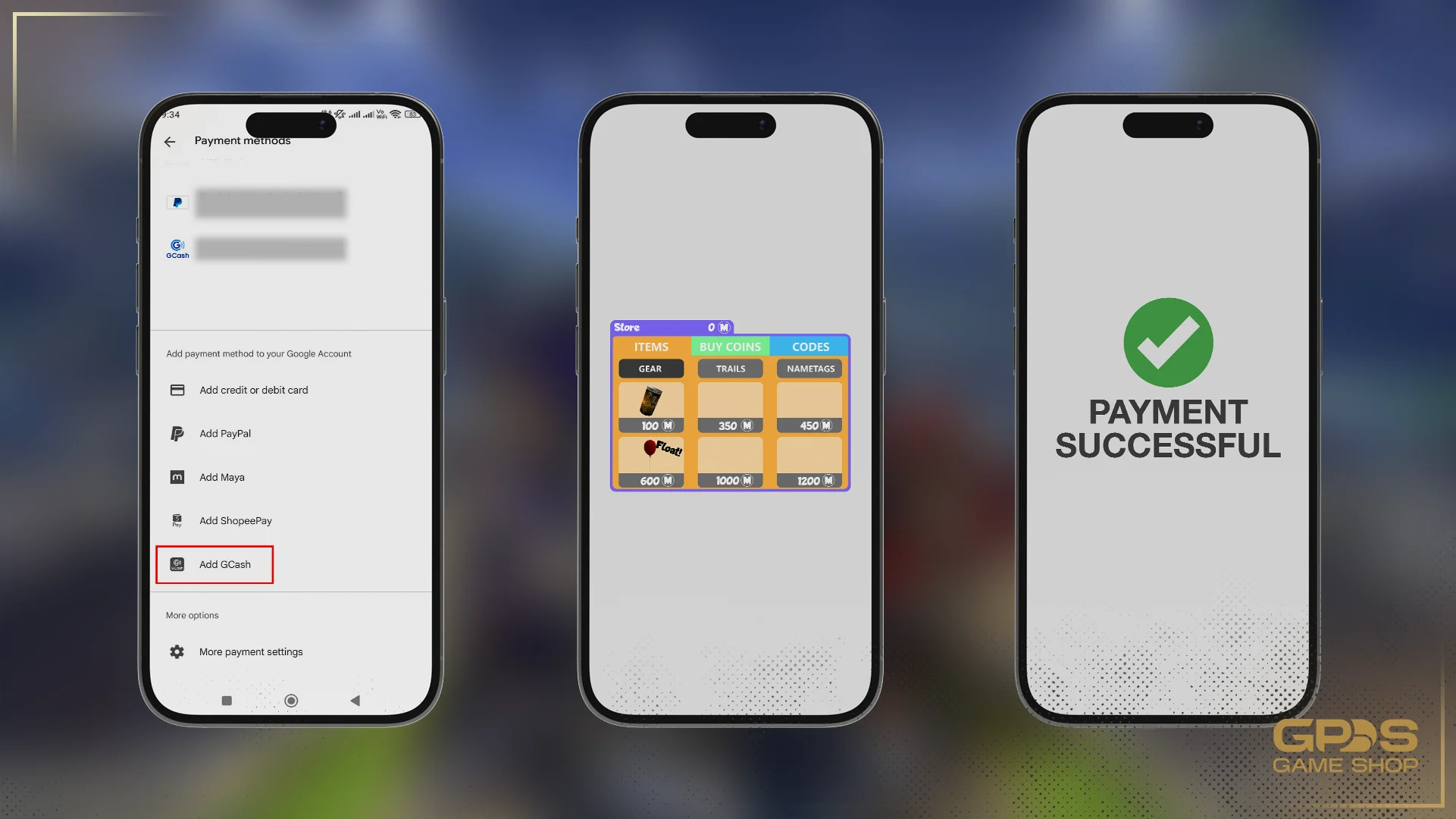
The most familiar method is buying Robux directly through the Roblox mobile app using GCash as your linked payment method. It is the most convenient but also the most expensive, because Google Play and the Apple App Store charge platform fees that are baked into the displayed price. Here is the process for each device type.
Step 1: Link GCash to Your App Store
Before you open the game, connect GCash to your device's app store account.
For Android users (Google Play): Open the Google Play Store, tap your profile picture in the top-right corner, select "Payments and subscriptions," then "Payment methods." Tap "Add GCash" and follow the prompts to authorize your GCash account. The full official walkthrough is on the Google Play payment methods guide.
For iPhone users (Apple Account): Open Settings, tap your Apple Account name at the top, then "Payment & Shipping." Tap "Add Payment Method" and select GCash from the list. GCash has been supported as a direct Apple Account payment method in the Philippines since 2020, so you do not need a credit card to use the App Store.
Step 2: Open Roblox and Pick Your Package
Launch the Roblox app, log in, and tap the gold hexagon Robux icon at the top of the screen. The Robux store shows the available packages with their PHP prices clearly listed. Tap the package you want to buy.
Step 3: Confirm and Pay
A Google Play or Apple App Store payment pop-up appears with the total price in Philippine Pesos. Confirm that GCash is the selected payment method, then tap "Buy." You may need to authenticate with fingerprint, Face ID, or your phone passcode. The system charges your GCash wallet and Roblox credits the Robux to your account within seconds.
This is the simplest way to buy Robux online PH for small one-off purchases or your monthly Roblox Premium subscription. The trade-off, which is worth understanding, is that the mobile price includes Google Play or Apple App Store platform fees on top of Roblox's base price.
Method 3: Use a GCash Mastercard on Roblox Desktop
If you already have a GCash Mastercard (a virtual or physical card you can apply for inside the GCash app), you can use it on Roblox's desktop website like any other debit card. This method skips the mobile platform fee but still goes through Roblox's standard store pricing rather than the bulk supplier rates available through PH-based third-party platforms.
To buy Robux on the Roblox desktop site with GCash Mastercard, go to roblox.com on a desktop browser, log in, click the Robux icon and select your package, choose "Debit Card" as the payment method, enter your GCash Mastercard details (card number, expiry, CVV), and confirm. Robux credits to your account immediately.
You can verify the current list of accepted Roblox payment methods on the official Roblox support page. This method works well for players who already use GCash Mastercard for other online purchases. For Filipino gamers who do not have the card yet, applying just to buy Robux is more friction than it saves.
Real-Life Tips to Avoid Top-Up Errors
Technology glitches happen. To avoid annoying errors when buying Robux with GCash, keep these practical tips in mind.
Fully verify your GCash account. Basic GCash accounts face strict transaction limits and sometimes cannot link to Google Play or Apple Account. Complete the full verification (valid ID, selfie verification) for smooth gaming purchases.
Keep buffer in your wallet balance. Always keep slightly more than the package price in your GCash wallet. Some transactions include small local digital service taxes that apply at checkout. If a package costs ₱500, keep ₱550 loaded.
Clear the Roblox app cache. If you press "Buy" and nothing happens, the app may be frozen. Close Roblox completely, clear the app cache (Android: Settings > Apps > Roblox > Storage > Clear Cache), and try again.
Check your Google Play or Apple region. Your app store account must be set to the Philippines region for GCash to appear as a payment option. Accounts set to a different country will not see GCash in the payment list.
How to Stay Safe Buying Robux Online
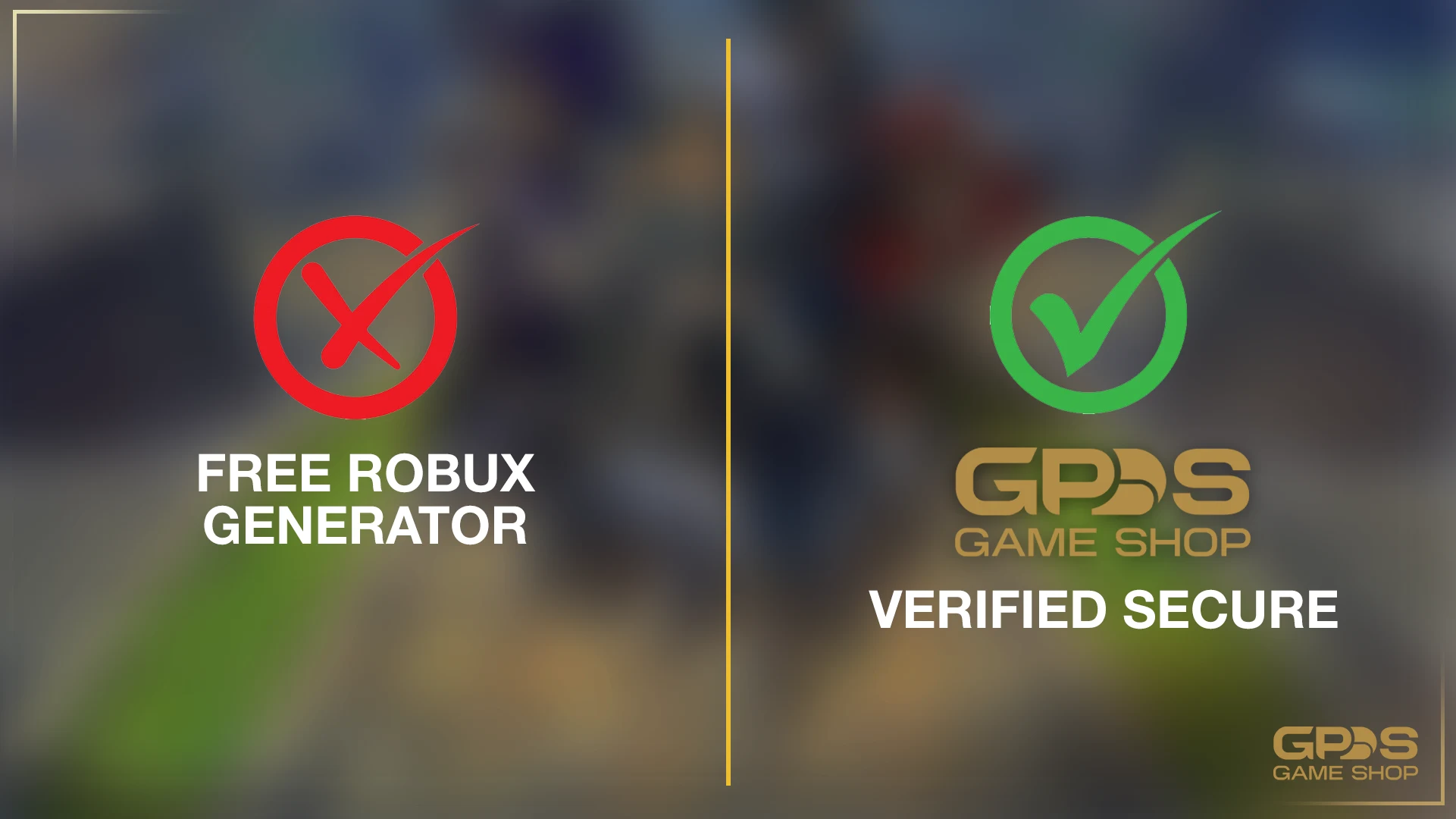
Scammers target Roblox players constantly, especially younger Filipino gamers who may not yet know the warning signs. Three rules will protect you from almost every common scam.
Never trust "free Robux generator" websites. There is no such thing as a free Robux generator. Every site promising unlimited Robux is a phishing scam designed to steal your Roblox account, harvest your password, or infect your device with malware. Roblox itself confirms this in their official guide on payment information: official staff will never ask for your password and free Robux generators do not exist.
Never share your Roblox login credentials with anyone. Legitimate top-up methods (Google Play, Apple Account, GCash Mastercard on desktop, or licensed third-party PH platforms like GPDS) never need your Roblox password to deliver Robux. If anyone claims they need your login to "help send Robux," it is a scam.
Watch for fake gift card sellers in Facebook groups and Discord servers. Real Roblox gift cards come from official retailers, the Roblox website, major PH retailers, or verified third-party platforms with public Trustpilot profiles. Sellers operating only through DMs with no business presence are almost always scams.
Frequently Asked Questions
What's the cheapest way to buy Robux with GCash in the Philippines?
For most Filipino gamers, a trusted PH-based third-party platform like GPDS Game Shop offers the lowest peso price because it accepts GCash directly without Google Play or Apple platform fees, uses FX-tied daily PHP pricing, and applies bulk supplier rates. Mobile app purchases through Google Play or Apple are the most convenient but the most expensive.
Can I use Maya, GrabPay, or PayPal instead of GCash?
Yes. Maya and GrabPay both work as Google Play and Apple Account payment methods in the Philippines. PayPal works on the Roblox desktop website. PH-based third-party platforms like GPDS also accept Maya, GrabPay, QRPH, PayPal, Wise, and USDT alongside GCash, so you are not locked into one e-wallet.
Is there a minimum age to buy Robux with GCash?
You need a verified GCash account to link to Google Play or Apple. GCash requires users to be at least 18 years old to open a full account, though minors can open Junior GCash accounts with parental consent. Roblox itself has no age restriction on buying Robux, but the payment method you use will have its own age rules.
What should I do if my payment goes through but I do not receive my Robux?
Do not panic. First, close Roblox completely and restart your phone. The balance display sometimes needs a moment to refresh. If the Robux still does not appear after an hour, check your email for the digital receipt from Google Play, Apple, or your top-up platform, then contact the relevant support team with the receipt and transaction ID.
Can I buy Roblox Premium with my GCash?
Yes. You can use linked GCash to pay for monthly Roblox Premium through Google Play or the Apple App Store. Remember that Premium auto-renews each month, so cancel it manually in your phone's subscription settings if you want to stop paying. The desktop website also accepts GCash Mastercard for Premium subscriptions.
Are there extra fees when using GCash for Roblox?
The Google Play and Apple App Store typically process the exact amount shown at checkout, with platform fees already included in the displayed price. PH-based third-party platforms like GPDS show the final PHP price upfront with no hidden additions. Always check the final confirmation screen before authorizing in case small local digital service taxes are applied.
Can I send Robux directly to a friend using GCash?
You cannot send Robux directly from your account balance to another player. The workaround is to buy a Roblox gift card with GCash (through GPDS Game Shop, the official Roblox site, or a major PH retailer) and send the redemption code to your friend. They can redeem it at roblox.com/redeem for Robux or Premium.
Final Thoughts
Buying Robux with GCash is straightforward once you know your three options: through a trusted PH-based third-party platform like GPDS Game Shop for the best peso value, through the Roblox mobile app for one-tap convenience at a higher price, or through Roblox's desktop website with a GCash Mastercard if you already have the card. For gifting, gift cards through GPDS are the only real option since Roblox does not allow direct Robux transfers.
Whichever method you pick, keep your password private, never trust free Robux generators, and verify your GCash account is fully validated. Enjoy your new avatar items and have fun exploring the millions of creative worlds in Roblox.
You Might Also Like:
- Top Up Roblox at GPDS Game Shop
- How to Send MLBB Diamonds to Friends Safely (2026)
- How to Know if a Top-Up Center is Legit Safely
- 7 Most Reliable Mobile Game Top-Up Sites in PH (2026)
- About GPDS Game Shop



.png&w=384&q=75)


Secure Shopping
Encrypted and trusted payment process.
Fast and Instant Delivery
Top-ups are processed quickly after confirmation.
Customer Support
Available 6am - 4am PHT daily.
100% Customer Satisfaction
Reliable and customer-first service.